Quick Start (Most People Do This)

If you just need the shortest path: buy Bitcoin → send Bitcoin.
Phase 1: Buy Bitcoin
Open Cash App → Bitcoin tab → Buy → confirm.
Phase 2: Send Bitcoin
Send → enter amount → paste address → choose speed → confirm.
Built-in Wallet
Hold BTC, receive via bitcoin address QR code, and send out from one app.
Fast Purchases
Buy Bitcoin quickly using a linked bank account or debit card.
Simple UI
Clear screens and confirmations make it beginner-friendly.
Withdraw Anytime
Send Bitcoin to another wallet/address whenever you need.
Step-by-Step Cash App Screens
Tap any screenshot to zoom. Use the phase buttons to avoid scrolling the entire list.

- Buy BTC quickly
- Send to an address
- Choose speed/fee
- Confirm & done
Phase 1: Buy Bitcoin
Open Cash App → go to Bitcoin → choose amount → confirm purchase.
1) Open Cash App

- Open Cash App on your phone.
- Tap the bottom-left icon to access money options.
2) Go to the Bitcoin Section
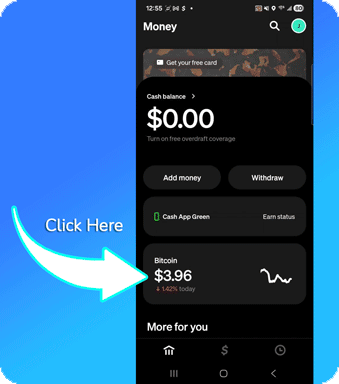
- Tap Bitcoin.
- You’ll see price info and a Buy button.
3) Tap Buy
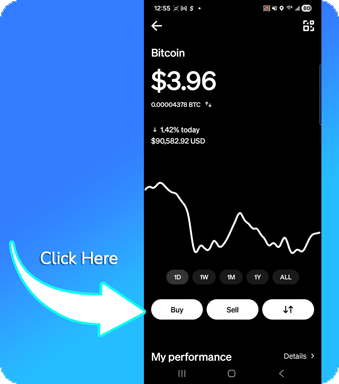
- Tap Buy to start a purchase.
4) Choose Amount
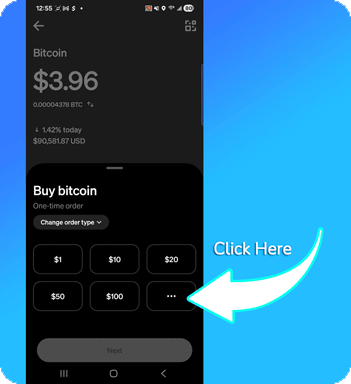
- Select a preset amount.
- Or tap … to enter a custom amount.
5) Enter Custom Amount
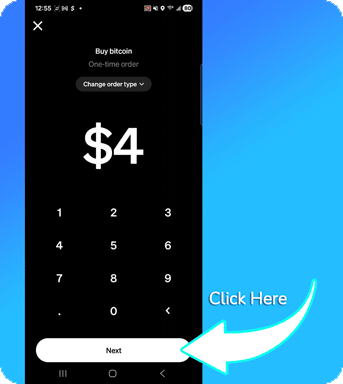
- Type your amount.
- Tap Next.
6) Review & Confirm
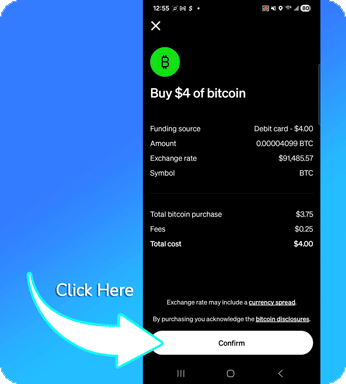
- Review BTC amount, fees, and total.
- Tap Confirm.
7) Purchase Confirmation
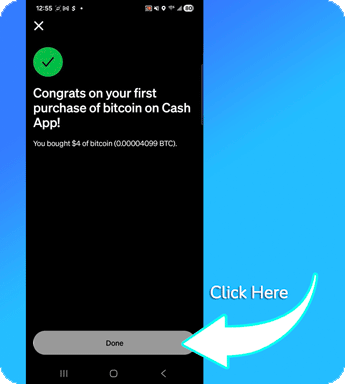
- Confirm your purchase completed.
- Tap Done.
Phase 2: Send Bitcoin
Open send/receive → choose send → amount → address → speed → confirm.
8) Open Send/Receive
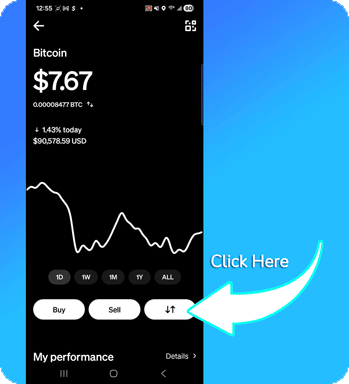
- On the Bitcoin screen, tap the up/down arrows.
9) Choose Send
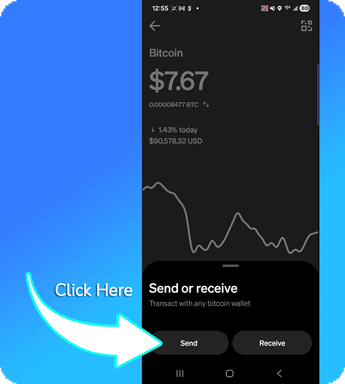
- Tap Send.
10) Enter Amount to Send
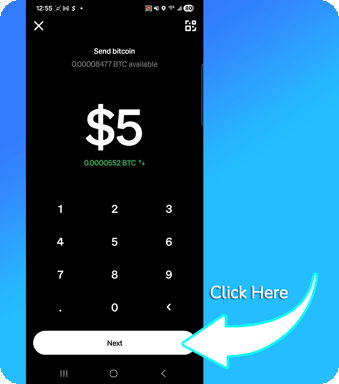
- Enter how much you want to send.
- Tap Next.
11) Paste the Address
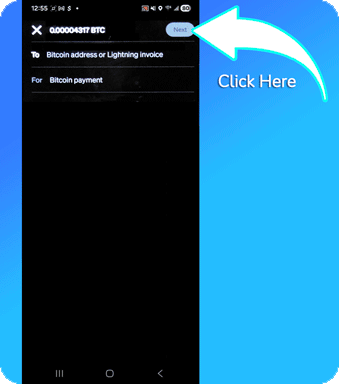
- Paste (or type) the payment address.
- Tap Next.
12) Choose Speed
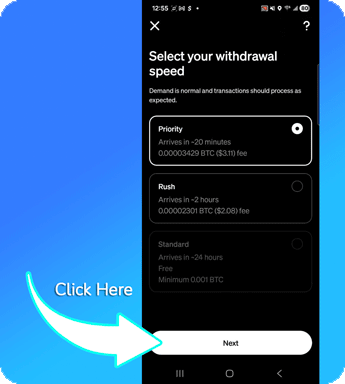
- Select Priority, Rush, or Standard.
- Review fee and estimated arrival time.
- Tap Next.
13) Confirm & Send

- Review address, amount, and fee.
- Tap Confirm and send.
14) Done
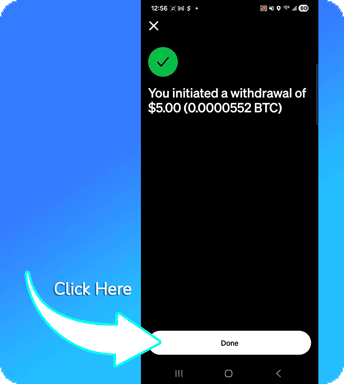
- You’ll see that the transfer was initiated.
- Tap Done.
*Availability, limits, and fees depend on your region and account verification.
Quick FAQ & Tips
Common questions for first-time buyers.
Do I need another wallet?
No—Cash App includes a built-in Bitcoin wallet. You can send to any Bitcoin address directly from the app.
Can I send & receive?
Yes—paste a payment address to send, or use your personal address or QR code to receive Bitcoin.
What about fees & limits?
Fees and limits vary by region and account verification. Review the in-app quote before confirming any transaction.
How long does a Bitcoin transfer take?
Most Bitcoin transactions confirm in about 10–60 minutes. Faster speeds cost more, and network congestion can cause delays.